With this small registry hack (Windows only) you can open a folder within the Lightroom without all those multiple clicks.

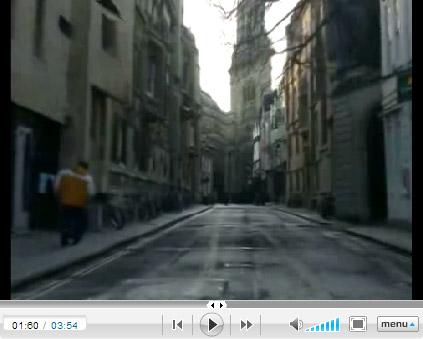
We may say that what we see here are the first steps to creating complete and realistic three dimensional environment based on several photographs. If using the technology as shown by the Fotowoosh project we can create a 3D look into 2D image, then what can be done when we add a few more photographs of the same place and let the computer blend them into a 3D world?
Wanted to learn more (or a lot) about photography lighting? Well, then you definitely have to check out the collection of posts summarized at Strobist - Lighting 101. There you will find the answers to the following topics:

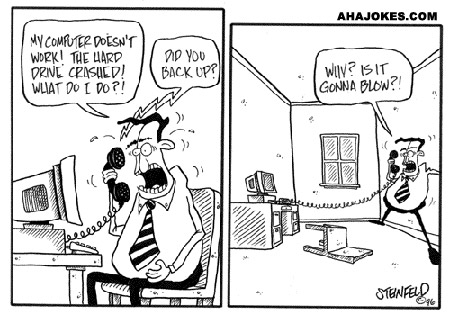
With Mozy you can get 2GB FREE online backup or for $4.95/month get unlimited storage and a set of good features (Windows and Mac):
Ease of Use
Features / Performance
Security
Price
Moving to the next level - draw on the screen or see on the drawing board. That could be the right solution for those who is in photography, illustration or design fields. More in the article at Popular Mechanics.
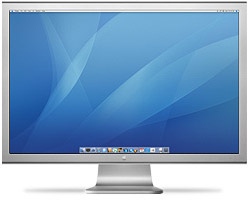
For last month or so I was drooling about this gorgeous monitor - Apple 30-inch Cinema HD
And not it's arrived.
It started with a simple notice of how huge and beautiful it is. My first impression was - it was too big for me, and probably too expensive. But then my friend pointed out that it's very impressive and may be not that big at all. The thoughts started to mess with my head and I did some research about the display (that's how Apple calls it).
You can find several good reviews on the Apple store, Amazon, ZD Net , PC Magazine, MacWorld and by Ken Rockwell.
The first thing to notice that the reviews are somewhat obsolete, the display has been upgraded in several areas: the brightness (now it's 400 cd/m2) and response time (14 ms). And the other thing is that though some of the reviewer (editors) say it's not that great, the overall user's response is quite good (close to excellent).
While browsing the Web in relation to this magnificent display I encountered the following article "Could a 30-in. monitor help you do your job faster?" published at MacWorld. Based on a research performed by an independent company a 30-inch display could improve your productivity up to 50 or 65%. You can find more opinions in the discussion of this article.
By the way, I bought the display via MacMall after the prices on the display were dropped by Apple - right when I need them ![]()

It's such a rare thing to find good information about wedding photography business that could really help you. And when you find it you want to share it with others. That's why I rush to share this link with you.
There is a new website and forum emerges - "Honest Answers about Wedding Photography". At this moment the forum is not ready yet, but you already can find a lot of useful information (and examples) on wedding photography prices and contracts. Want more - check the FAQ to find more answers.

Before I learned this trick it was a tough task to change the shape or some other properties of an effect applied to a layer. And then it became soooo easy...
What I am talking about? Take a look at the image below:

The comment balloon has a couple effect applied to it: stroke and shadow. The shadow implies that the surface it lies on is parallel to the plane of the balloon. But I want to change the angle, make the shadow lie on the ground (or a floor). How do I do it?
Ultimately, I should have the following result:

To achieve it you don't have to "invent the wheel", Photoshop will do it for you - right click on the layer's effects and choose Create Layers. Then I applied transformation to the shadow only - that's it. No more headaches!

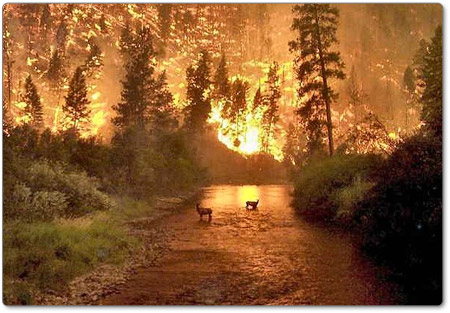
Follow this link and you will find a series of some quite unusual and intriguing pictures. It worth the look.

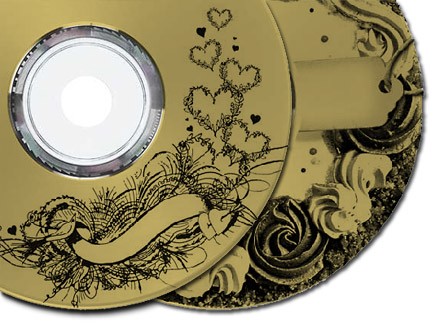
You probably heard of or even use the new CD/DVD burning technology called LightScribe. At least, I am using it and find quite interesting. At some point in time (sooner or later) we all need to label our CDs and DVDs. With this technology you don't have to print labels, you simple flip the CD and burn the image. However it requires certain type of media that is LightScribe compatible.
And now HP, the creator of LightScribe, offers a free set of labels for weddings. And yes, I am using LightScribe to present the CDs and DVDs to the bride and groom with their wedding photographs and slide shows.
See more ideas for LightScribe presentation.
A picture can replace a thousand words, but video consists of thousand pictures. Will the video dominate?
"...in the future photojournalists would no longer be shooting still pictures, but instead would be using video as their prime medium of acquisition..." says Dirck Halstead at The Digital Journalist. What awaits us in the future? Who will survive and take the lead?
The financial imperative to newspapers is clear. Their salvation, in a time of plummeting ad revenues on their broadsheets, lies with their online versions. Online demands video. For this reason, we can comfortably say that in 10 years photojournalists will only be carrying video cameras.
And there are first ripples of the ground that predict the big bang. Read the whole article and prepare yourself to the future. Don't be left behind...

How many times have you resized an image to send it via email, publish on the Web, or do something else with it? Countless times and there is not end to it as long as the Web exists or you have the camera. And most probably wanted to preserve the details and the sharpness of the original while resizing the images, usually applying the filter Unsharp Mask or similar.
All it is good, but there is a shortcut to achieve similar results:

On the dialog above you can see that I've highlighted a single parameter "Resample Image". This parameter controls the algorithm for resizing. When you resize the image you can set it to Bicubic Sharper and Photoshop will make the image sharper along with the resizing. Such approach saves time and produces good results, thus eliminating the need to apply additional sharpening afterwards.

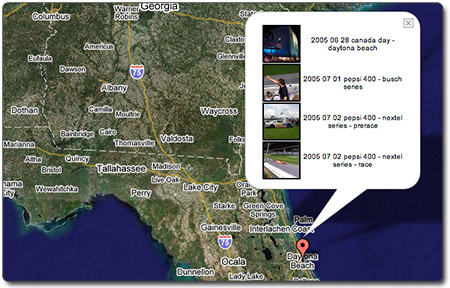
There are guys that see an opportunity, have the idea and do it (whatever it is). Scott Carmichael is one of them; he created an addon for Google maps, which serves as a tie between your photographs and geographic location. You browse the map, see galleries of photographs taken at a certain location and then go see the gallery you like. See it in action or look behind the scenes.

It's often when beautiful photograph bring a smile on your face. And the photographs made by Paul Ruigrok (Amsterdam) are exactly of this kind.
Go and take a look. It may not be easy to navigate his website, but click the Sitemap and visit the Commissioned Work on the Level I.
You may want to check Paul's representative at Altpick.com with some of his featured photographs.
When we find something interesting and useful, which we want to return to and share with others, it will be posted here. It could be about composition, digital effects, photoshop, photography business or links to interesting websites.
| Sun | Mon | Tue | Wed | Thu | Fri | Sat |
|---|---|---|---|---|---|---|
| << < | Current | > >> | ||||
| 1 | 2 | 3 | 4 | 5 | 6 | 7 |
| 8 | 9 | 10 | 11 | 12 | 13 | 14 |
| 15 | 16 | 17 | 18 | 19 | 20 | 21 |
| 22 | 23 | 24 | 25 | 26 | 27 | 28 |
| 29 | 30 | |||||